Profiles and diamond hands
Every wallet and every community on Mintboard has a public record of what it did with the spots it won. Holders get a profile they can share; communities get a hold rate projects can trust before they hand over spots.
Your holder profile
- Go to Your holder profile.
- Paste the wallet you mint with and press View profile. You land on
/w/<your wallet>. - Press Copy share link to post it in a ticket, a collab application or on X.
It is read-only, like the board: nothing is connected, signed or stored. You also reach it from the board after checking a wallet, and from the footer.
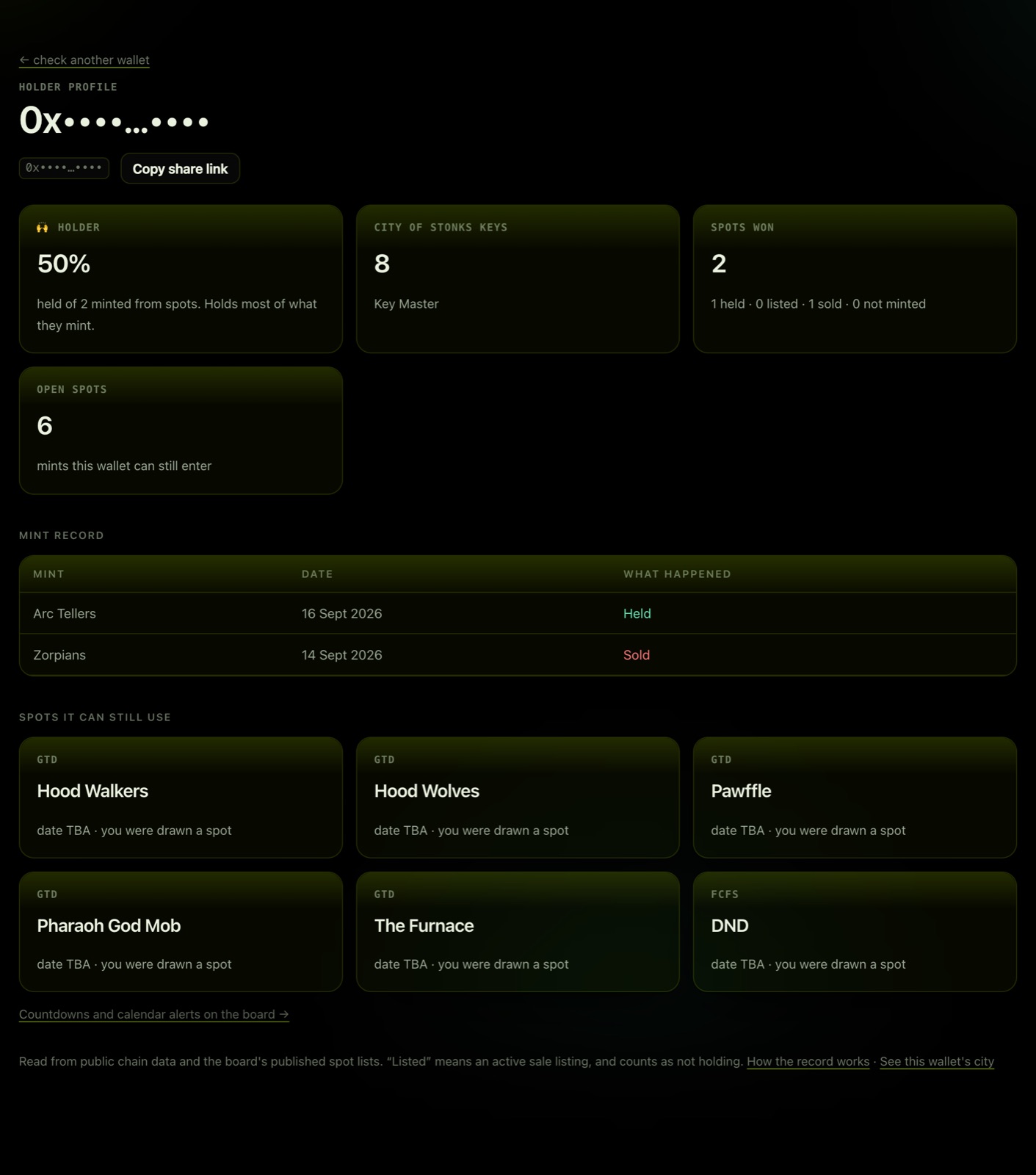
What it shows:
| Section | What it means |
|---|---|
| Badge | Your diamond-hand badge and hold rate (below). |
| City of Stonks keys | Keys held by this wallet right now, and the role they earn (Key Holder at 1+, Key Master at 5+). |
| Mints measured | Every measured mint for this wallet, split into held, listed, sold and not minted. |
| Open spots | Mints this wallet can still enter. |
| Mint record | Each mint, its date, and what happened to what you minted. |
How the badge is worked out
Your hold rate is what you still hold ÷ what you minted from spots you won. A listing counts the same as a sale: it says you are trying to sell.
Some public mints our holders took part in are measured too, without a spot. For those, held means you kept what you minted for at least 7 days (Wall Street Traders is the first).
| Badge | Rule |
|---|---|
| 💎 Diamond hands | Holds 80% or more of what they mint. |
| 🙌 Holder | Holds 50% or more. |
| 🔁 Trader | Sells or lists most of what they mint. |
| 🌱 New | Fewer than 2 measured mints. One flip is a data point, not a character. |
Spots you won but never minted are shown, but they do not count toward the rate. They do count against a community's collab record, so mint your spots or pass them on.
To move your badge up: hold what you mint, and mint the spots you win. The record updates when the next scan runs after a mint.
Community profiles
Every community's page (for example City of Stonks) shows:
- Hold rate across every collab its holders won spots in.
- Recent mints: each mint the community took spots in, newest first, with whether it minted out, how many spots went to the community, and what share of them is still held.
- Collaborations: the full record per collab, with a free / paid toggle, because a paid mint is held differently from a free one.
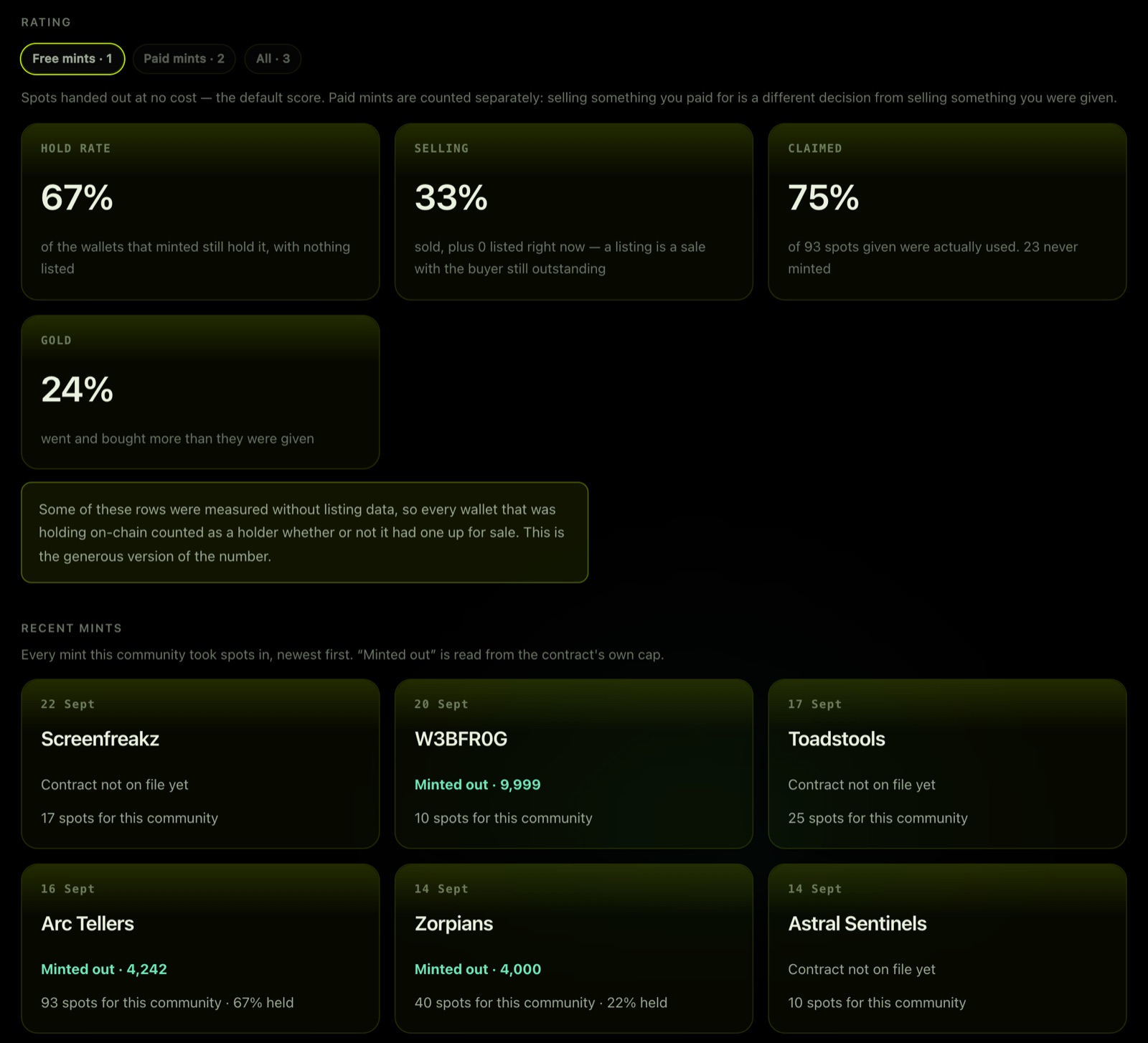
Each mint also carries two badges: ⏱ avg hold, the average number of days our members kept what they minted (to the first time it left the wallet, or to today), and still holding, the share of those wallets that still have it. Still holding turns into 💎 once half or more still hold. Holder profiles show the same thing per mint in a Held for column.
"Minted out" is read from the contract's own max supply. If a contract does not publish a cap, the page shows the mint count and makes no claim.
For community managers
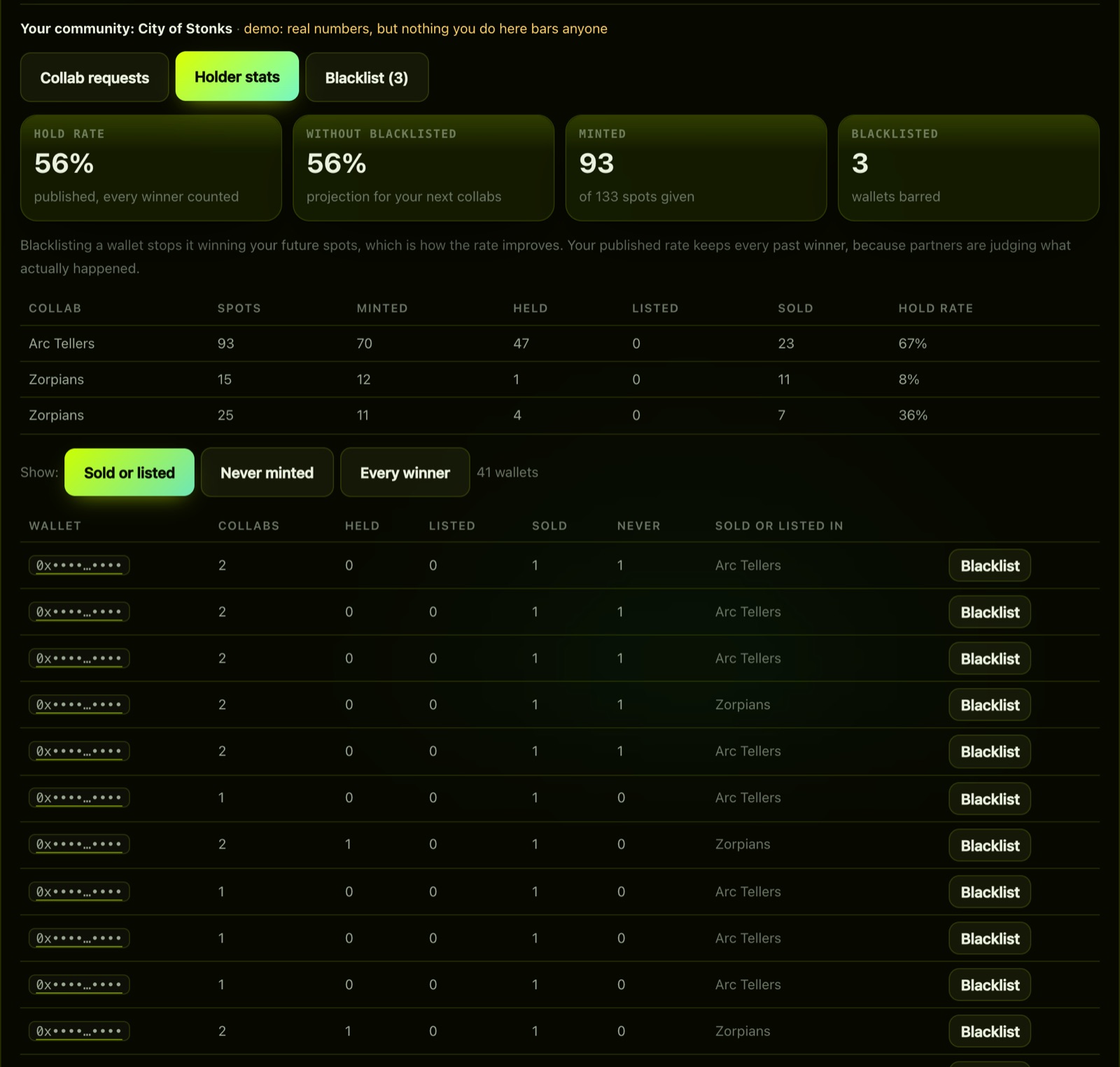
In your dashboard, the holder stats list every winning wallet with its held, listed and sold record. Click any wallet to open its profile. Blacklisting a wallet stops it entering your future raffles, and the dashboard shows the rate you would have had without it. That is a projection for your next collab; the published rate still counts everyone.
Where the numbers come from
- Holds are read from the chain, per wallet, per collection.
- Listings are active OpenSea listings.
- A mint is only measured once its contract is on file. If a mint shows Contract not on file yet, the project or community can add it from their dashboard.
- A wallet or chain that could not be read is shown as Could not read, never as sold.