For holders
Everything you need to find what you have won, enter what is open, and make sure prizes reach you.
Check your wallet
- Go to Check a wallet.
- Paste the wallet that holds your keys and press Check my spots.
- You see only the mints that wallet qualifies for, with the tier (GTD, FCFS, OG…), why you qualify, the price and per-wallet limit for your tier, and a countdown to your window, which is not always the public one.
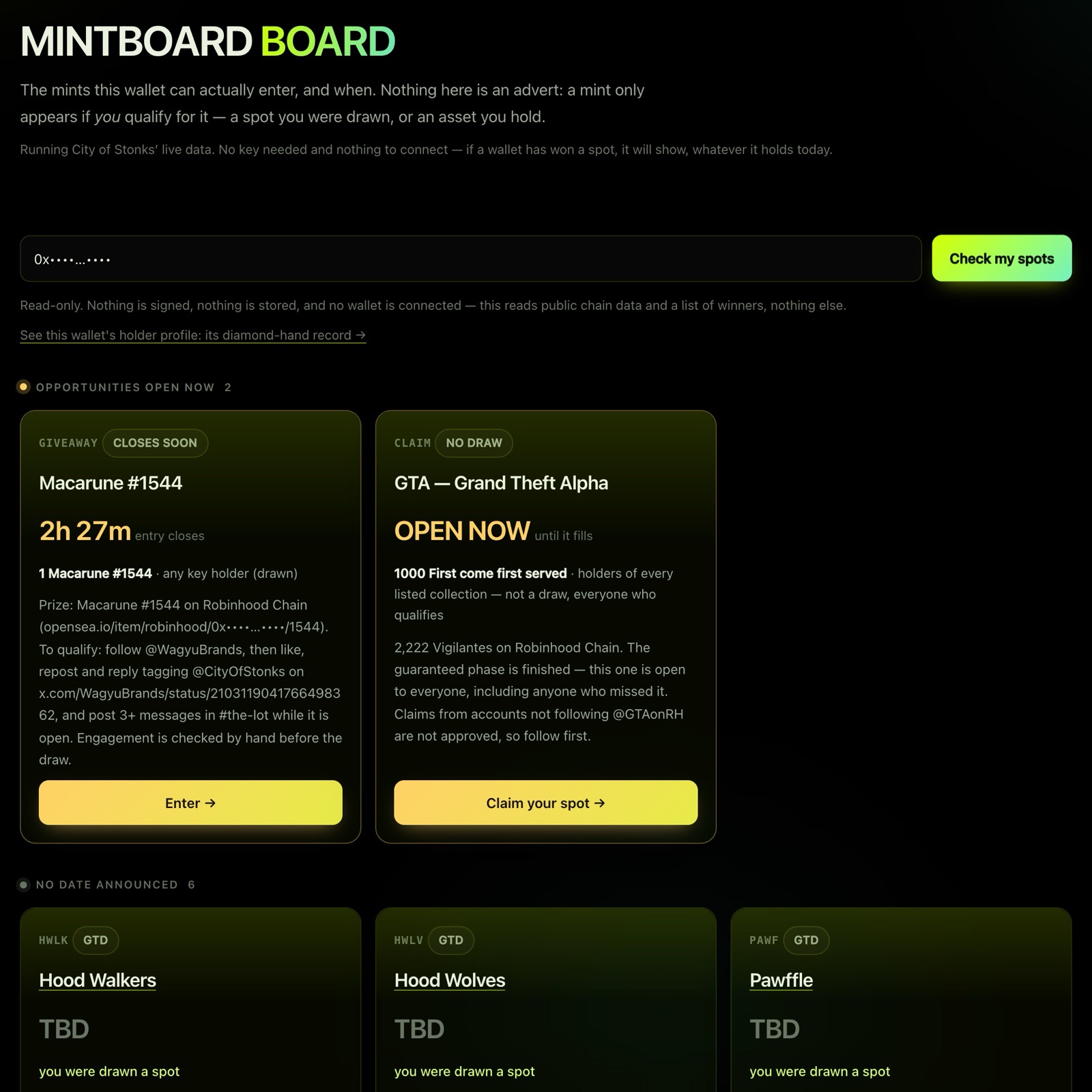
It is read-only. Nothing is signed or stored on our side; your browser just remembers the last address you pasted.
- Add to calendar gives you one file with every dated mint, with an alert 15 minutes before each.
- Bitcoin mints show the address they will deliver to, so you can check it is the taproot address you meant.
- "This chain did not answer" means we could not read it just now. It is not a "no". Try again in a minute.
Enter raffles and giveaways
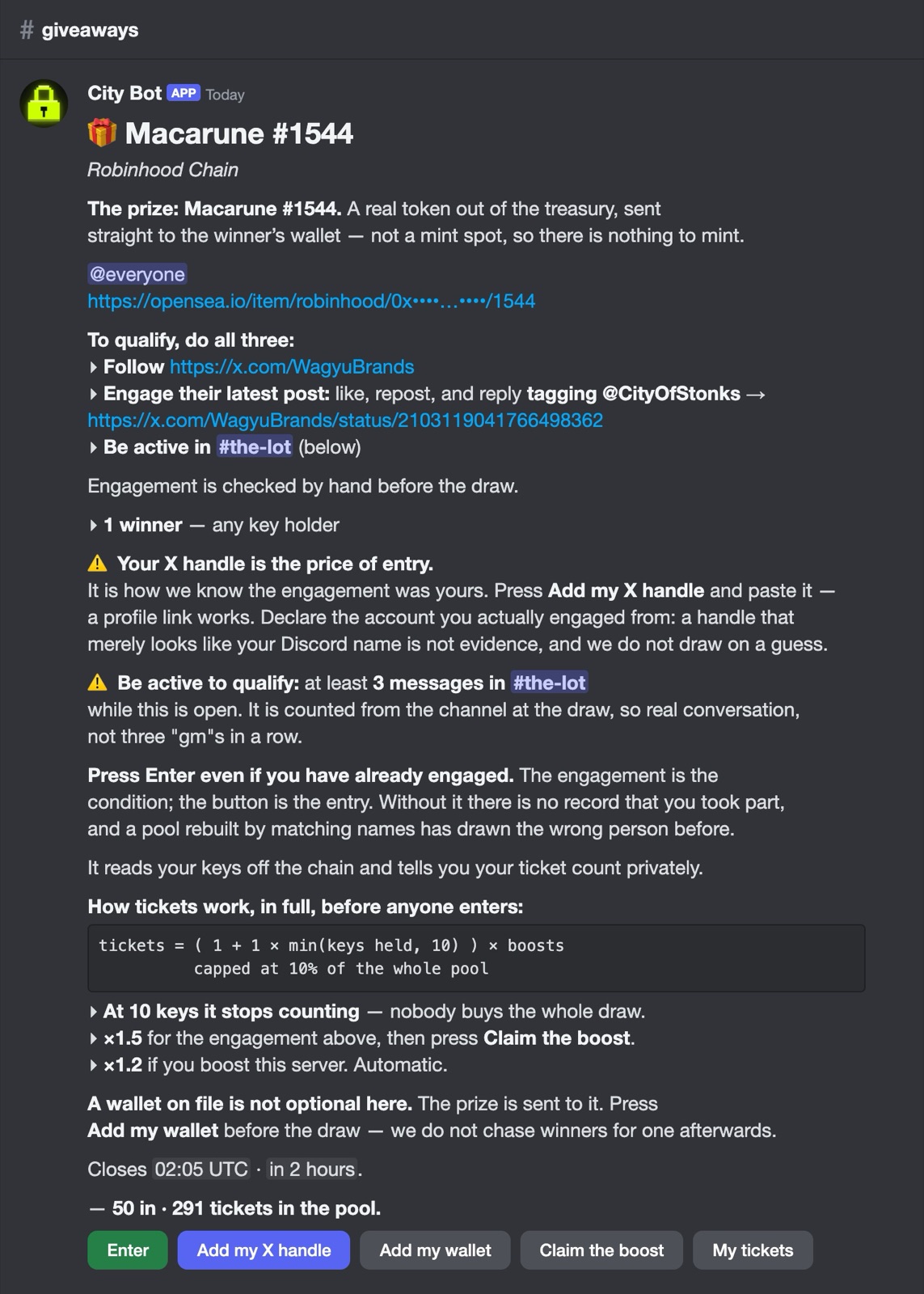
Raffles for mint spots and giveaways of real NFTs are posted by City Bot in Discord (and listed on Open now). Each post has buttons:
| Button | What it does |
|---|---|
| Enter | Enters you. City Bot reads your keys from the chain and tells you your ticket count privately. |
| Add my wallet | Sets the wallet prizes and spots are sent to. Check it before every draw. |
| Add my X handle | Some projects need your X handle for their list. When a post says it is required, you cannot enter without it. |
| Claim the boost | When a post asks you to engage a project's X post, paste the link to your reply or repost for extra tickets. |
| My tickets | Shows your entry and ticket count, privately. |
Press Enter even if you have already done the X part. Engaging is the condition; the button is the entry.
How tickets work
Every post prints its formula before anyone enters. The usual one:
tickets = ( 1 + 1 × min(keys held, 10) ) × boosts
capped at 10% of the whole pool- More keys, more tickets, up to 10 keys.
- ×1.5 when you claim the boost on posts that offer one.
- ×1.2 if you boost the Discord server.
- Nobody can hold more than 10% of all tickets.
Draws and results
- Raffles close and draw on their own at the time shown, from a published seed, so anyone can recompute the result.
- Winners are tagged in Discord. Check the board to confirm your wallet before the mint.
- Some giveaways add conditions (following an account, activity in a channel). These are checked before the draw; entries that do not meet them are removed.
- Spots are granted by the partner project. We send them your wallet; they run their own mint.
Key Holder and Key Master
Your City of Stonks keys set your Discord role:
- Key Holder: 1+ key. Opens every channel in the server.
- Key Master: 5+ keys. Adds the Key Master rooms, Key Master-only giveaways and raffle tiers.
Roles follow the keys in the wallets you have on file. See Verify your wallet.
Stay safe
- Nobody from the team will DM you first. City Bot never sends you a link to verify, claim or connect.
- The real City Bot's user ID is
1538077635375009802. Anything else using that name is not us. - Never share a seed phrase. We will never ask for one.